
HEX vs RGB vs HSL: Understanding Web Color Formats
Understand how HEX, RGB and HSL represent the same colors and when each format is most convenient.
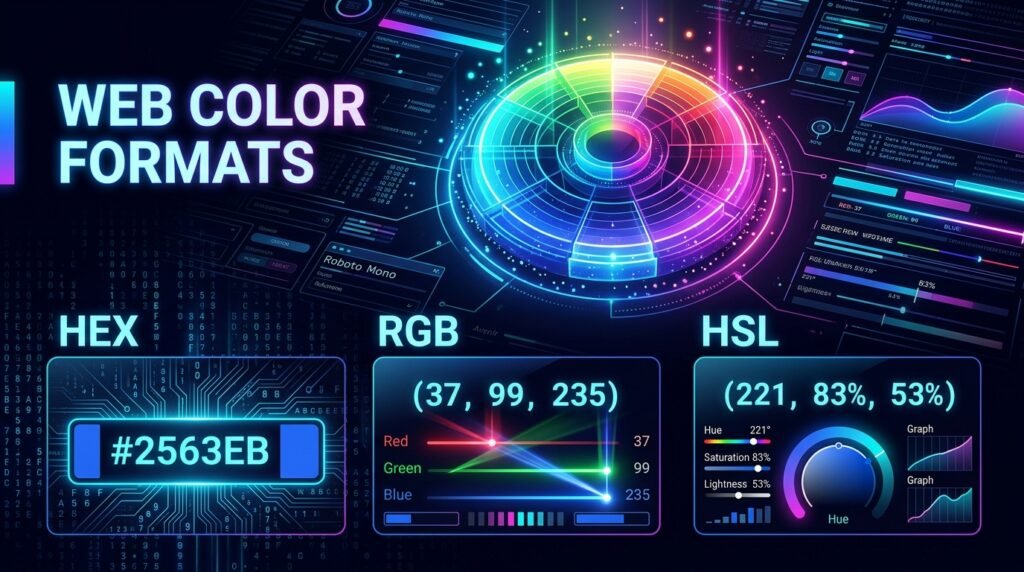
Understanding the practical differences between HEX vs RGB vs HSL is a cornerstone competency for frontend developers, user interface designers, and digital software engineers. In digital environments, colors are not stored as physical pigments; they are defined as quantitative data models interpreted by web browsers, operating system graphics drivers, and hardware displays. Whether styling buttons in CSS, generating interactive charts on HTML5 canvases, or building cohesive component libraries, choosing the optimal notation between HEX vs RGB vs HSL directly affects code readability, theme scalability, and design system agility.
HEX, RGB and HSL are different ways of representing colors used in websites, applications and digital design. The same exact color shade can be written across several distinct syntactic notations:
#2563eb | rgb(37, 99, 235) | hsl(221, 83%, 53%)
Whenever you need to translate color values instantly across project files, use EzzDo’s free online Color Code Converter to translate between common formats without manual arithmetic or complex conversion calculations.
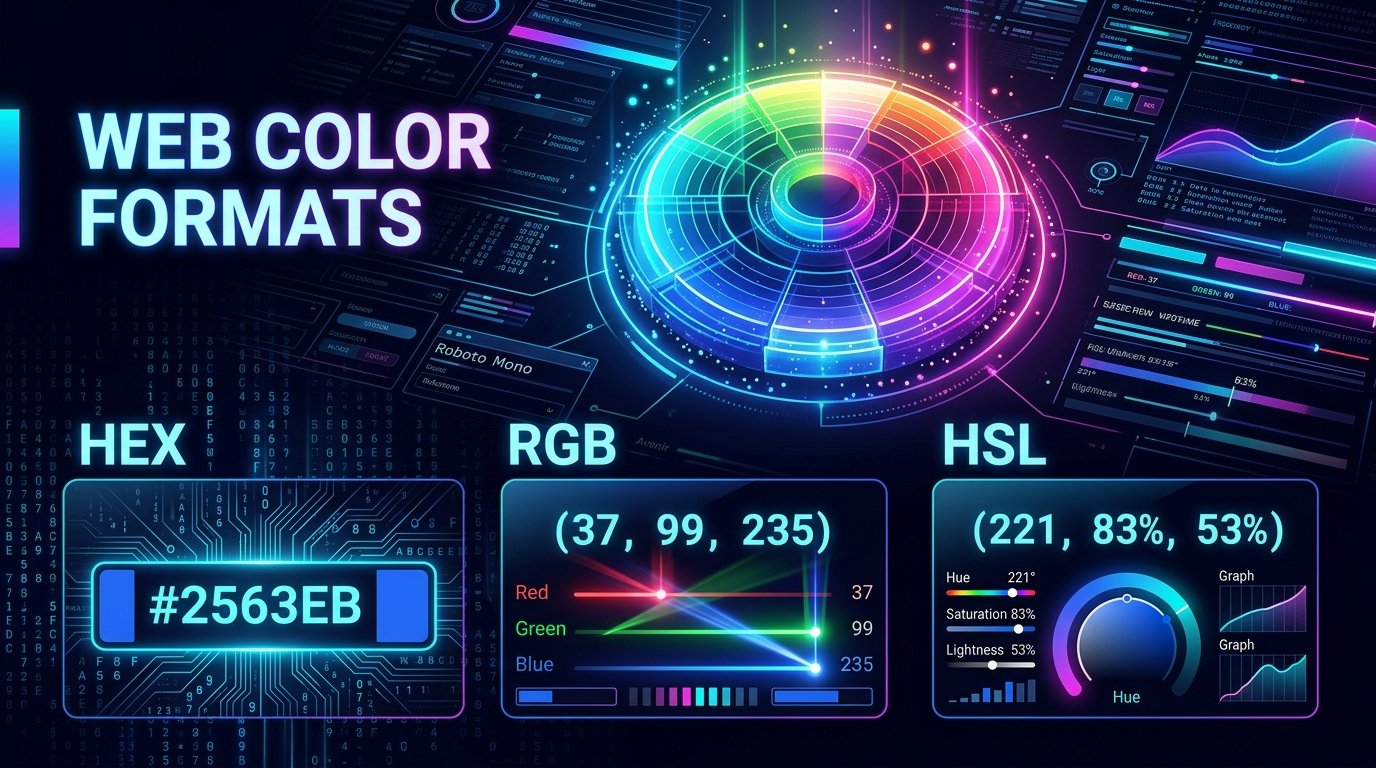
While all three representations render identical pixel shades on standard screens, each model serves specific programming, design, and accessibility purposes. Navigating HEX vs RGB vs HSL with confidence empowers engineering teams to write maintainable CSS and construct intuitive design systems.
Table of Contents
Understanding Web Color Formats: HEX vs RGB vs HSL Core Differences
Every digital display—from smartphone OLED panels to desktop LCD monitors—generates millions of colors by illuminating subpixels of red, green, and blue light. According to the official W3C CSS Color Module Level 4 Specification, the standard default color space for the World Wide Web is standard RGB (sRGB). What differentiates HEX vs RGB vs HSL is not what hardware pixels can display, but rather how human developers and software interfaces encode those values in source code.
RGB communicates directly with display hardware by assigning raw numerical brightness intensities to each of the three physical light emitters. Hexadecimal notation (HEX) encapsulates those identical RGB integers into compact base-16 strings, serving as a terse shorthand widely adopted by legacy web development and graphic design software. In contrast, HSL reorganizes color data into human-intuitive psychological dimensions: hue, saturation, and lightness.
Evaluating HEX vs RGB vs HSL requires examining the mathematical mechanics of each format, how browsers compute alpha transparency, and how design systems leverage CSS custom properties for effortless multi-theme management.
What Is RGB? The Physics of Additive Light on Digital Displays
RGB represents the amount of red, green and blue light in a color. It operates on the principle of additive color mixing, where colored beams of light combine to create lighter shades. When all three color beams shine at maximum intensity, they produce pure white light; when all three channels emit zero light, the display renders absolute black.
In standard digital color spaces, each channel commonly uses a discrete 8-bit integer value ranging from 0 to 255, producing 256 distinct intensity levels per channel (256 × 256 × 256 = 16,777,216 possible colors). The standard CSS syntax declares these values as:
rgb(red, green, blue)Examining foundational benchmark colors illustrates how additive light mechanics operate in practice:
rgb(255, 0, 0)— Pure Red (Red emitter at 100%, Green and Blue completely off)rgb(0, 255, 0)— Pure Green (Green emitter at 100%, Red and Blue completely off)rgb(0, 0, 255)— Pure Blue (Blue emitter at 100%, Red and Green completely off)rgb(255, 255, 255)— Pure White (All three color channels emitting at peak intensity)rgb(0, 0, 0)— Pure Black (All three color channels extinguished)

RGB closely reflects how screens combine colored light physically at the hardware transistor layer. Subpixel structures inside LED and AMOLED monitors rely directly on varying electrical current across these three physical micro-emitters. In evaluating HEX vs RGB vs HSL, RGB serves as the computational benchmark from which all other digital web color spaces originate.
Because computer graphics hardware natively processes integer light values, programmatic canvas manipulation and WebGL shader code routinely utilize RGB buffers. Understanding these hardware principles clarifies why comparing these color models is fundamental to graphics engineering.
What Is HEX? Hexadecimal Color Encoding and Short Notation
HEX represents the same red, green and blue channels using base-16 hexadecimal notation rather than base-10 decimal numbers. Hexadecimal uses sixteen distinct alphanumeric symbols: the numbers 0 through 9 represent values zero to nine, while letters A through F represent values ten through fifteen (A=10, B=11, C=12, D=13, E=14, F=15).
#RRGGBB
The hexadecimal range 00 to FF corresponds directly to decimal values from 0 to 255. Because two hexadecimal digits represent exactly 256 unique combinations, a six-character HEX code packages three 8-bit color channels into a single concise token.
For example, analyzing the primary red token #FF0000 reveals the underlying channel breakdown: Red FF equals 255, Green 00 equals 0, and Blue 00 equals 0. Therefore, #FF0000 is red. HEX is compact, copy-paste friendly, and universally recognized across code editors, graphic design suites, and version control repositories.
Short HEX Notation and Character Duplication Rules
Some colors can be written using three characters: #fff, #000, #f00. Each character is duplicated by the browser: #fff becomes #ffffff, and #f00 becomes #ff0000. Short notation only works when both characters in each channel pair are identical. When analyzing HEX vs RGB vs HSL, short HEX delivers unmatched brevity for basic neutrals.
While convenient for simple palettes, reading complex hexadecimal values without specialized tooling remains difficult for human engineers. In modern debates regarding HEX vs RGB vs HSL, this mental friction frequently motivates developers to explore more expressive notations.
What Is HSL? Cylindrical Geometry of Hue, Saturation, and Lightness
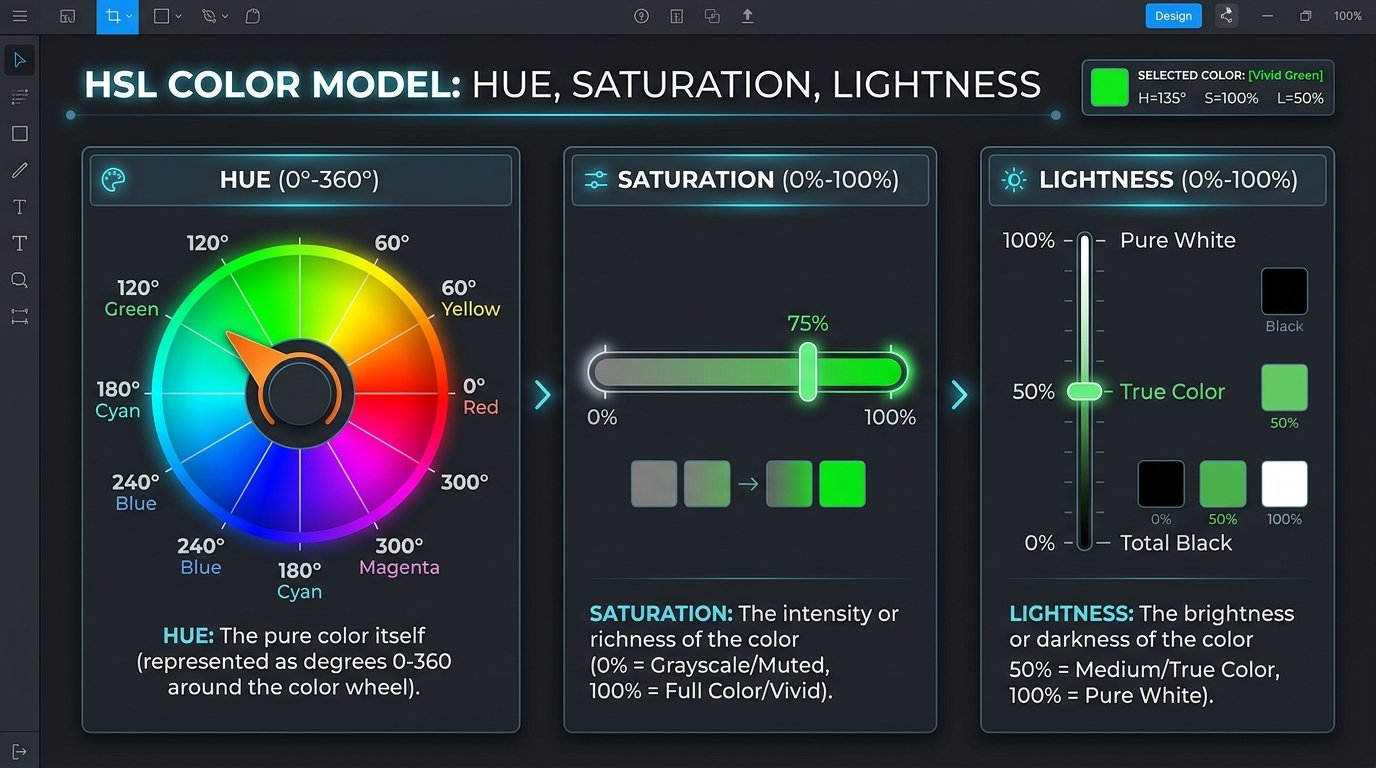
While HEX and RGB mirror display hardware architecture, HSL was developed by computer graphics researchers to align with human perception. Rather than asking developers to calculate how much red, green, and blue light combine to make teal or olive, HSL represents color using three intuitive visual properties: Hue, Saturation, and Lightness.
hsl(221, 83%, 53%)
Hue
Hue represents a position around the color wheel, normally from 0 to 360 degrees. Approximate reference points include: 0° = Red, 120° = Green, 240° = Blue, and 300° = Magenta. Rotating through degrees allows developers to generate harmonious complementary and analogous color relationships programmatically.
Saturation
Saturation controls color intensity: 0% = Gray, and 100% = Fully saturated color. At 0%, all chromatic information disappears, leaving an achromatic shade governed solely by lightness.
Lightness
Lightness controls how light or dark the color appears: 0% = Black, 50% = Normal color, and 100% = White. In comparisons of HEX vs RGB vs HSL, HSL stands apart because lightness directly reflects perceived illumination.
By conceptualizing color as a cylinder rather than a 3D coordinate cube, HSL bridges technical hardware parameters and intuitive visual aesthetics. Front-end engineers navigating digital color spaces benefit significantly from this human-centric coordinate geometry.
Why Designers Prefer HSL for Scalable Design Systems and Themes
Why designers like HSL: HSL can be easier to adjust systematically. In production UI design, interfaces rarely use a single static color; they require distinct state variations including hover states, active states, disabled backgrounds, and subtle border highlights.
When using HEX or RGB, darkening a brand blue such as #2563eb requires adjusting all three individual channels non-linearly. With HSL, developers keep the hue and saturation identical, adjusting only the single lightness value:
:root {
  --brand-h: 221;
  --brand-s: 83%;
  --button-normal: hsl(var(--brand-h), var(--brand-s), 53%);
  --button-hover:  hsl(var(--brand-h), var(--brand-s), 45%);
  --button-light:  hsl(var(--brand-h), var(--brand-s), 90%);
}
This can be more intuitive than manually adjusting three RGB channels. Shifting a single CSS variable updates an entire palette while preserving calibrated luminance. When evaluating HEX vs RGB vs HSL for design systems, HSL provides superior thematic flexibility.
This mathematical clarity simplifies dark mode adaptation. Engineers can invert lightness curves programmatically across an application while preserving authentic brand color identity. In enterprise design systems, weighing HEX vs RGB vs HSL consistently highlights HSL as the premier choice for state variations.
Transparency and Alpha Channels Across Modern CSS Color Syntax
Modern CSS supports transparency in several formats according to documentation on MDN Web Docs CSS Color Values:
rgb(37 99 235 / 50%)hsl(221 83% 53% / 50%)#2563eb80
Alpha values determine opacity. In 8-digit HEX notation, the trailing two characters represent alpha opacity from 00 (transparent) to FF (opaque). Be careful with transparent colors over different backgrounds because the visible result depends entirely on the colors underneath. Examining HEX vs RGB vs HSL transparency syntax helps developers write clean, maintainable stylesheets.
When stacking multiple semi-transparent layers, browsers calculate blended color outputs using the alpha compositing formula. Mastering these interaction dynamics across HEX vs RGB vs HSL ensures predictable visual contrast regardless of background substrate.
Decision Architecture: When to Use HEX vs RGB vs HSL in Production
Which format should you use? In the technical choice between HEX vs RGB vs HSL, each notation excels in specific production environments:
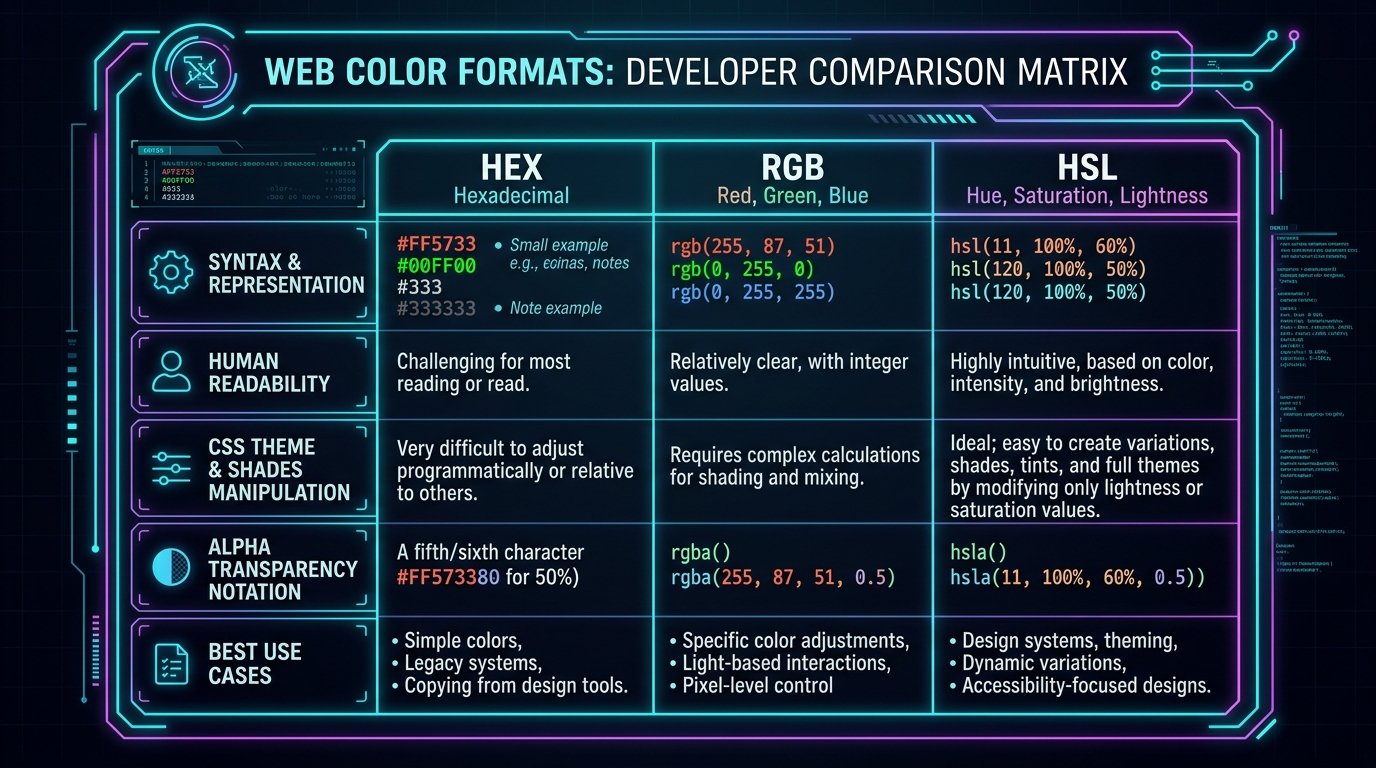
- Use HEX when: You want a compact representation, a design application provides HEX values, or the project already uses HEX consistently.
- Use RGB when: You are working directly with color channels, a programming API expects red, green and blue values, or you need channel-level calculations in Canvas or WebGL.
- Use HSL when: You are creating related shades, designers need intuitive hue and lightness adjustments, or you are building a theme or design system.
Browsers ultimately render the resulting color rather than rewarding one notation over another. Project consistency is usually more important than the format itself when selecting between HEX vs RGB vs HSL.
Extracting Color Palettes from Images and Calibration Factors
Picking colors from an image: Use EzzDo’s client-side Color Picker from Image when you need to inspect a pixel and retrieve its HEX, RGB or HSL representation directly in your browser.
Remember that displayed colors can vary because of monitor calibration, brightness settings, color profiles, browser rendering, surrounding colors, and screen technology. Reviewing HEX vs RGB vs HSL outputs across displays ensures faithful branding reproduction. Check our full catalog of developer utilities in the EzzDo Tools directory.
Because hardware variations affect visual perception, extracting accurate color swatches from photography provides an objective baseline for creative projects. Knowing how to translate raw image data across HEX vs RGB vs HSL ensures design fidelity.
Color Accessibility, WCAG Contrast Standards, and Visual Inclusivity
Color accessibility: A visually attractive color combination may still be difficult to read. When selecting foreground and background colors in HEX vs RGB vs HSL formats:
- Maintain sufficient contrast meeting WCAG standards (4.5:1 for body copy and 3:1 for large text).
- Do not communicate status using color alone; pair colors with icons or text labels.
- Test normal, hover, focus, and disabled states.
- Consider users with color-vision differences such as red-green color blindness.
- Test text at its actual size and weight across different screen resolutions.
Because HSL exposes lightness directly, testing contrast across HEX vs RGB vs HSL palettes becomes straightforward and reliable. Mastering these web color formats guarantees your user interface is both aesthetically pleasing and universally accessible.
7 Best Rules to Master HEX vs RGB vs HSL in Frontend Codebases
Follow these 7 best rules to optimize color management across web development projects:
- Standardize on a Primary Notation: Select one default notation for base tokens across your stylesheet architecture to eliminate cognitive friction.
- Leverage HSL for Theming and State Variants: Store brand themes in HSL CSS variables to generate hover, active, and disabled shades with simple lightness tweaks.
- Use Modern Space-Separated Syntax: Adopt modern CSS Color Module Level 4 slash syntax (e.g.,
rgb(37 99 235 / 50%)) over legacy comma-delimited rgba formats. - Enforce Strict Contrast Audits: Integrate automated accessibility checks into your continuous integration pipeline to enforce WCAG AA 4.5:1 contrast standards.
- Keep Static Tokens in Short HEX When Feasible: Utilize compact three-character HEX shorthand (like
#fffor#000) for universal neutral constants to minimize CSS payload size. - Document Color Roles Instead of Values: Name design tokens semantically (such as
--surface-primaryor--text-muted) rather than descriptive literal names like--light-blue. - Verify Cross-Display Gamuts: Test critical UI branding across sRGB, OLED mobile screens, and wide-gamut monitors to guarantee predictable visual rendering.
Architectural Takeaways for Frontend Teams
Consult Wikipedia’s HSL and HSV color space models for additional mathematical formulas when evaluating HEX vs RGB vs HSL.
Whenever modern frontend software architects and digital product designers evaluate HEX vs RGB vs HSL color representations across web applications automated algorithmic verification ensures consistent rendering integrity across all transactional templates and customer facing interfaces throughout the entire commercial enterprise infrastructure protecting network bandwidth while providing dependable visual fidelity for every visitor in both desktop and mobile browsing environments worldwide today without rendering regressions or unintended.