
Format and Validate JSON: A Practical Guide
Discover how JSON formatting works, identify common syntax errors, and validate structured data before using it in applications or APIs.
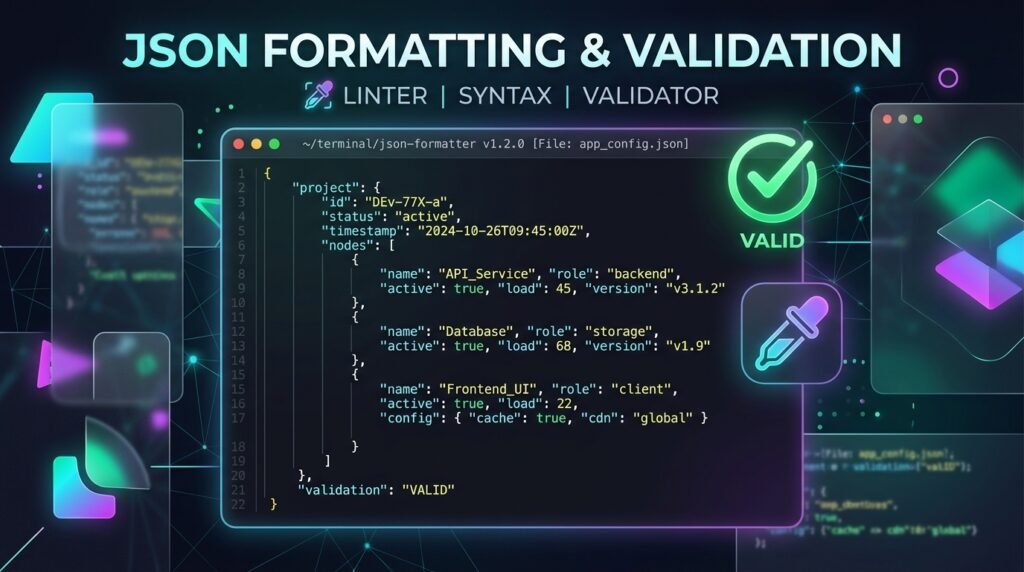
Learning how to format and validate JSON documents is an indispensable core competency for full-stack software engineers, cloud architects, API developers, and system administrators. JavaScript Object Notation (JSON) has established itself as the undisputed universal standard for data interchange across web applications, RESTful APIs, microservices, and server configurations. However, raw JSON generated by modern web applications often arrives as dense, unindented text strings that are difficult to inspect and prone to subtle syntax errors.
Although JSON is intentionally designed to be lightweight and human-readable, working with complex payloads containing deeply nested objects and arrays presents significant challenges. A single missing comma, an illegal trailing comma, a misplaced closing bracket, or single-quoted property keys will immediately break client parsing and trigger fatal runtime application exceptions. When developers format and validate JSON before deploying updates or consuming third-party API payloads, they eliminate debugging friction and ensure data integrity.
You can use EzzDo’s free JSON Formatter and Validator to pretty-print dense payloads, detect syntax defects, and repair malformed structures instantly inside your browser sandbox with zero server uploads and complete privacy protection. If your workflow involves transforming API datasets into tabular spreadsheets for reporting, explore our JSON to CSV Converter, or check our HEX vs RGB vs HSL web colors guide for front-end styling architecture.
Understanding the distinction between cosmetic formatting and strict syntax validation enables engineering teams to build resilient automated workflows and maintain clean configuration repositories. In this comprehensive technical guide, we examine the fundamental grammar of JSON, analyze the most frequent syntax mistakes, and explore best practices to format and validate JSON with precision.
Table of Contents
What Is JSON? Understanding Data Types and Syntax Rules
JSON stands for JavaScript Object Notation. Formally standardized under IETF RFC 8259 and ECMA-404, JSON is a completely language-independent, text-based data format used to serialize structured information. While JSON originated from JavaScript’s object literal syntax, virtually every modern programming language—including Python, Go, Java, Rust, C#, and PHP—provides high-performance native libraries to parse, serialize, and manipulate JSON structures.
JSON represents structured data using exactly six fundamental data types:
- String: Sequences of Unicode characters enclosed strictly in double quotation marks (e.g.,
"Alice"). - Number: Double-precision floating-point numbers in standard base-10 integer or decimal notation (e.g.,
28,49.99,-15, or1.5e3). Octal and hexadecimal notations are forbidden. - Boolean: Explicit lowercase literal values representing truth states:
trueorfalse. - Null: An explicit literal value representing an empty or non-existent value:
null. - Object: Unordered collections of zero or more key-value pairs wrapped in curly braces (
{}), where keys must be double-quoted strings. - Array: Ordered sequences of zero or more values separated by commas and enclosed in square brackets (
[]).
Here is an elementary JSON object demonstrating basic scalar fields:
{
  "name": "Alice",
  "age": 28,
  "isActive": true
}
In this structure, "name" stores a string, "age" maps to a numeric value, and "isActive" holds a Boolean. Understanding these foundational data types makes it straightforward to format and validate JSON payloads across any programming environment.
By mastering the lexical grammar defined in RFC 8259, developers can reliably format and validate JSON across distributed microservice architectures.
What Is JSON Formatting? Pretty-Printing and Indentation
JSON formatting, commonly referred to as pretty-printing, is the process of restructuring a raw JSON text document with standardized indentation, hierarchical tabs, and line breaks without modifying any underlying data values. Web servers and microservices typically transmit JSON across networks in minified form to reduce HTTP payload sizes:
{"name":"Alice","age":28,"skills":["JavaScript","SQL"],"active":true}While this minified representation saves network bandwidth, attempting to read or debug hundreds of lines of single-line minified text is error-prone. When you format and validate JSON, the pretty-printer parses the token stream and applies systematic two-space or four-space indentation:
{
  "name": "Alice",
  "age": 28,
  "skills": [
    "JavaScript",
    "SQL"
  ],
  "active": true
}
Both representations communicate mathematically identical information. Formatting modifies only non-semantic whitespace, providing developers with clear visual hierarchy to trace nested objects, inspect array bounds, and perform rapid code reviews. Automated development pipelines routinely format and validate JSON to guarantee consistent style guides across collaborative repositories.
What Is JSON Validation? Verifying Structural Grammar and RFC Standards
JSON validation is the automated verification process that confirms whether a document strictly complies with the official JSON lexical grammar and grammar production rules. A validator acts as a strict compiler front-end: it lexes input characters into tokens, constructs an Abstract Syntax Tree (AST), and flags any grammatical errors before an application consumes the payload.
Consider this syntactically valid JSON object:
{ "product": "Mechanical Keyboard", "price": 89.99, "available": true }Contrast that with an invalid document containing a common developer mistake:
{ "product": "Mechanical Keyboard", "price": 89.99, }Notice the trailing comma following 89.99. In standard JSON, trailing commas are illegal because commas serve strictly as separators between items, not as line terminators. A robust validator immediately flags the line and character offset where the unexpected character occurs. When developers routinely format and validate JSON, they intercept corrupted payloads before they cause backend database ingestion failures or frontend application crashes. By understanding parser mechanics, developers can systematically format and validate JSON data before sending HTTP requests.
6 Common JSON Syntax Errors and How to Prevent Them
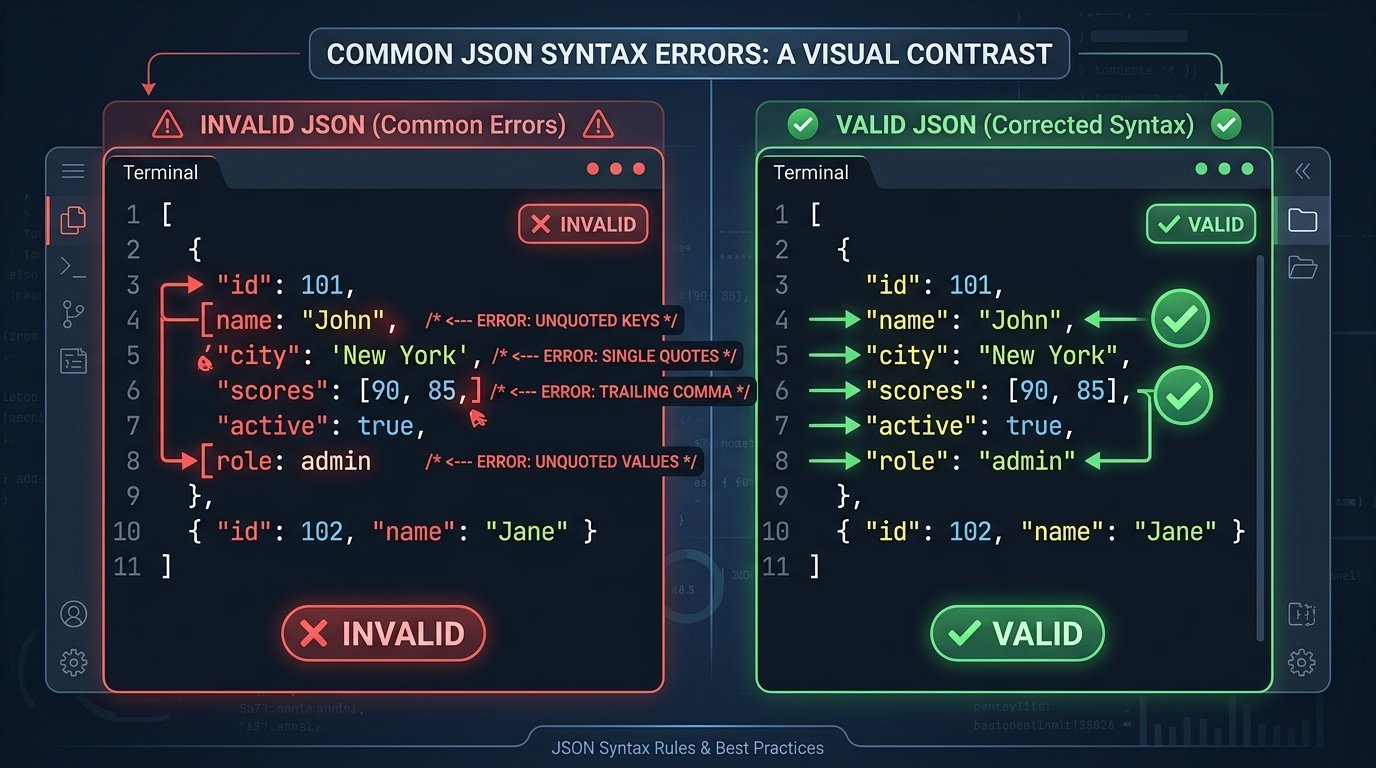
Because developers frequently transition between JavaScript, Python, TypeScript, and JSON, language-specific habits often bleed into JSON documents. Review these six universal syntax errors to keep your data compliant when you format and validate JSON:
1. Missing Double Quotes Around Property Names
In standard JavaScript or Python dictionaries, unquoted keys are common. However, JSON requires all object keys to be double-quoted strings:
/* Invalid JSON */
{ name: "Alice", age: 28 }

/* Valid JSON */
{ "name": "Alice", "age": 28 }
2. Using Single Quotes Instead of Double Quotes
JSON specifications mandate double quotation marks ("...") for all strings and keys. Single quotes ('...') cause immediate parser rejection:
/* Invalid JSON */
{ "city": 'San Francisco' }

/* Valid JSON */
{ "city": "San Francisco" }
3. Missing Commas Between Properties
Every key-value pair inside an object and every item within an array must be explicitly separated by a comma:
/* Invalid JSON */
{ "name": "Alice" "age": 28 }

/* Valid JSON */
{ "name": "Alice", "age": 28 }
4. Illegal Trailing Commas
Modern ECMAScript and Python allow trailing commas for cleaner git diffs, but standard JSON treats trailing commas as fatal grammar errors:
/* Invalid JSON */
[ "JavaScript", "Python", "Rust", ]

/* Valid JSON */
[ "JavaScript", "Python", "Rust" ]
5. Using Unsupported Literals (undefined, NaN, Infinity)
JSON supports only numbers, strings, Booleans, null, objects, and arrays. Special language constants such as undefined, NaN, and Infinity cannot be serialized into JSON:
/* Invalid JSON */
{ "timeout": undefined, "ratio": NaN }

/* Valid JSON */
{ "timeout": null, "ratio": null }
6. Mismatched Braces and Brackets
Every opening object brace ({) must close with a matching brace (}), and every array bracket ([) must close with a matching bracket (]). Resolving these syntax errors is the primary reason developers format and validate JSON during active development.
How to Format and Validate JSON: 7 Best Steps for Developers
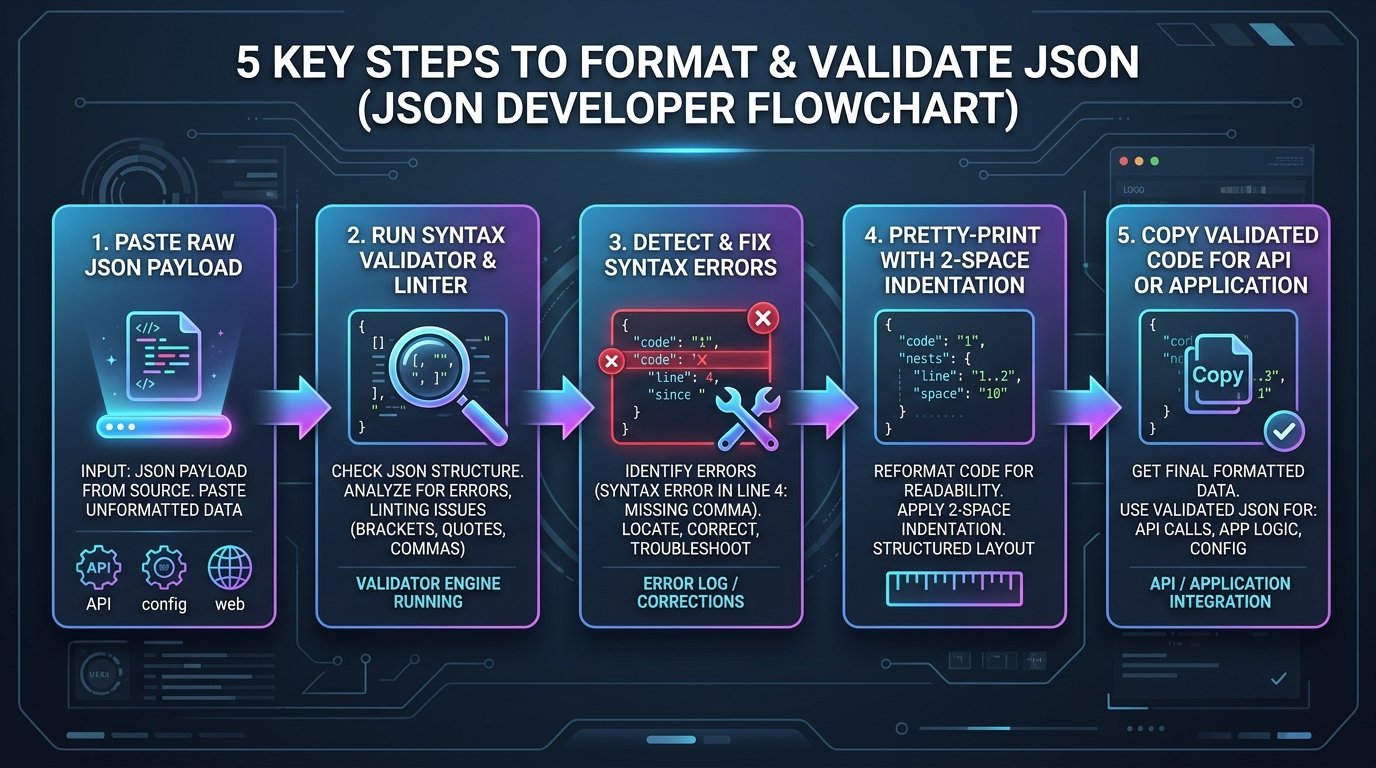
To inspect, repair, and pretty-print raw JSON documents rapidly without installing heavyweight IDE extensions, follow this structured seven-step developer workflow to format and validate JSON:
Step 1: Open the Online Formatter and Validator
Navigate to EzzDo’s free JSON Formatter and Validator in your web browser. The tool loads directly into client memory, guaranteeing fast execution and ensuring sensitive data never leaves your local workstation.
Step 2: Paste Raw Payload Data
Paste your raw JSON text into the primary input editor. You can paste minified single-line API responses, configuration files, or logs directly into the workspace.
Step 3: Execute the Validation Linter
Click the Validate or Format button. The integrated parsing engine tokenizes your text and checks each token against standard RFC 8259 grammar specifications.
Step 4: Review Detailed Error Notifications
If syntax errors exist, the validator displays explicit error logs highlighting the exact line number, column offset, and offending token (such as an unquoted key or misplaced comma).
Step 5: Correct Invalid Syntax
Fix the flagged syntax issues inside the editor. Replace single quotes with double quotes, remove trailing commas, and ensure all brackets close symmetrically.
Step 6: Pretty-Print the Cleaned Data
Once valid, apply 2-space or 4-space indentation to pretty-print your data. The tree structure organizes keys alphabetically or maintains insertion order based on your preferences.
Step 7: Copy Clean Output and Deploy to Applications
Copy the validated output directly to your clipboard or download it as a .json file. Test the payload in your production API endpoint, test suite, or software configuration. Following this workflow allows engineers to format and validate JSON in seconds without manual guesswork.
JSON Objects, Arrays, and Hierarchical Data Structures
Mastering the structural relationship between JSON objects and JSON arrays is essential when debugging complex web payloads. Modern web services organize data through combinations of these two fundamental collections:
| Collection Type | Delimiter | Internal Structure | Typical Use Case |
|---|---|---|---|
| JSON Object | Curly Braces ({}) |
Unordered string keys paired with values | Entities with named attributes (e.g., User, Product) |
| JSON Array | Square Brackets ([]) |
Ordered indexed list of homogeneous or mixed values | Sequences of items, tags, timestamps, or metrics |
| Array of Objects | [{}, {}] |
Ordered sequence of structured entities | Database query results, API pagination records |
When APIs return arrays containing thousands of object records, converting the dataset into CSV format simplifies business intelligence reporting. Developers can paste their arrays into EzzDo’s JSON to CSV Converter to map object properties to spreadsheet headers effortlessly.
Always verify array brackets when you format and validate JSON, because mismatched brackets in nested structures can create phantom data truncation bugs across client applications. Whether handling flat key-value pairs or multi-dimensional arrays, learning how to format and validate JSON structures prevents serialization bugs.
Minified JSON vs. Formatted JSON: Performance and Readability Trade-Offs
Software architectures require distinct data representations depending on whether payload processing occurs on human development screens or automated server networks. Understanding when to use minified versus pretty-printed representations is essential when engineering web APIs:

- Minified JSON: Strips all carriage returns, newlines, and indentation spaces. Ideal for production HTTP network transmission, cloud storage caching, and database fields where every byte counts.
- Formatted JSON: Injects structured indentation, spacing around colons, and distinct line breaks. Ideal for software configuration files (e.g.,
tsconfig.json,package.json), automated test fixtures, documentation examples, and interactive debugging sessions.
Minification reduces payload size by 15% to 35% across typical documents before HTTP gzip or Brotli compression. However, minification provides zero security benefits—it merely alters character density. When debugging microservices, developers routinely format and validate JSON to transform dense server logs into readable structures. Engineering teams frequently switch between compact and indented formats as they format and validate JSON for various operational stages.
Programmatic Implementation: Parsing and Formatting JSON in JavaScript
Modern ECMAScript provides built-in global methods under the JSON object specification to parse, serialize, and format JSON data directly in runtime applications. When developing Node.js microservices or browser scripts, developers frequently format and validate JSON programmatically before dispatching payloads.
1. Parsing JSON Strings with Error Handling
The JSON.parse() method transforms raw text strings into native JavaScript objects. Because invalid syntax throws a blocking SyntaxError, wrap parsing operations inside robust try...catch blocks:
function parseJsonSafely(rawString) {
  try {
    const parsedData = JSON.parse(rawString);
    return { success: true, data: parsedData };
  } catch (error) {
    console.error("JSON Syntax Validation Error:", error.message);
    return { success: false, error: error.message };
  }
}
Handling syntax errors gracefully ensures that attempts to format and validate JSON in production never bring down backend services.
2. Pretty-Printing JSON with Indentation
The JSON.stringify() method accepts three arguments: the target value, an optional replacer function, and an indentation parameter (number of spaces or tab character):
const userRecord = {
  id: 101,
  name: "Alice",
  role: "Engineer",
  verified: true
};

// Pretty-print with 2 spaces
const prettyJson = JSON.stringify(userRecord, null, 2);
console.log(prettyJson);
Passing null, 2 produces clean, human-readable JSON output that is simple to log, inspect, and share with team members.
Does Valid JSON Mean the Data Is Correct? Syntax vs. Schema Validation
A crucial realization for software engineers is that syntactic validity does not guarantee semantic correctness. A JSON document can strictly adhere to RFC 8259 grammar while containing completely invalid application data:
{
  "userAge": -250,
  "email": "invalid-email-address",
  "salary": "forty-thousand-dollars"
}
To a standard JSON parser, this object is 100% syntactically valid. However, an application consuming this data will crash or corrupt database tables. True enterprise data integrity requires two complementary verification tiers:
- Tier 1 (Syntax Validation): Confirms lexical grammar, quotes, commas, and bracket balance. This is what you check when you format and validate JSON.
- Tier 2 (Schema Validation): Verifies data types, minimum number bounds, string regex patterns, required properties, and field dependencies using specifications like JSON Schema (draft 2020-12) or validation libraries like Zod and Joi.
By pairing syntax validation with schema enforcement, engineering teams establish impenetrable data validation pipelines across modern API architectures. Combining semantic schema validation with the initial step to format and validate JSON provides complete defense-in-depth data integrity.
Production Checklist: How to Format and Validate JSON Accurately
Before deploying JSON configuration files or sending API payloads into production systems, verify this comprehensive engineering checklist:
- Double Quotes: Confirm that all property keys and string values use standard double quotation marks (
"..."). - Trailing Commas: Verify that no trailing commas exist after the final element in objects or arrays.
- No Unsupported Literals: Replace any occurrences of
undefined,NaN, orInfinitywithnullor valid numbers. - Balanced Delimiters: Confirm that all curly braces (
{}) and square brackets ([]) close symmetrically. - Character Encoding: Ensure your JSON files are saved using clean UTF-8 encoding without Byte Order Marks (BOM).
- Production Minification: Minify JSON payloads deployed across high-frequency HTTP network interfaces to maximize bandwidth efficiency.
Following these systematic verification steps ensures that every time you format and validate JSON, your datasets remain robust, portable, and error-free.
In summary, taking time to format and validate JSON during active development shields critical production environments from unexpected failures and simplifies daily debugging workflows. When collaborative modern engineering teams consistently format and validate JSON before deployments, they protect API data integrity, eliminate regressions, and enhance overall software reliability across distributed enterprise architectures worldwide.
Frequently Asked Questions About How to Format and Validate JSON
Below are clear, expert answers to the most common questions software engineers, API developers, and system architects ask when working with JSON data structures.