
Unix Timestamp Converter: Seconds vs Milliseconds
Understand Unix timestamps, seconds versus milliseconds, UTC conversion and common timestamp errors. Use EzzDo's free Unix timestamp converter for instant results.
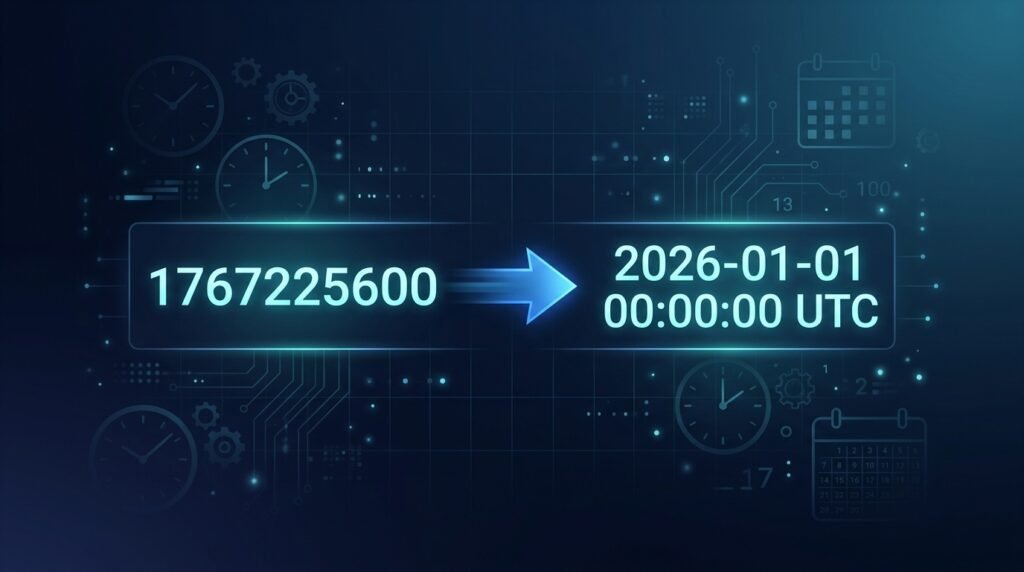
Unix timestamps provide a compact, universal way to represent dates and times across every programming language, database and operating system. Whether you are building APIs, debugging server logs, or comparing authentication tokens, you will encounter Unix timestamps regularly. A Unix timestamp converter is the fastest way to decode these numeric values into human-readable dates.
A value such as 1767225600 may initially appear meaningless. Once you feed it into a reliable Unix timestamp converter, however, it instantly reveals a precise date and time. You can decode any timestamp right now with EzzDo’s free Unix Timestamp Converter.
In this comprehensive guide you will learn exactly what Unix timestamps are, how to distinguish seconds from milliseconds, why UTC matters, how to avoid the most common conversion mistakes, and how to use a Unix timestamp converter effectively in your daily workflow.
Table of Contents
What Is a Unix Timestamp?
A Unix timestamp represents the total number of seconds (or milliseconds) that have elapsed since a fixed starting point known as the Unix epoch:
January 1, 1970 at 00:00:00 UTC
This epoch was chosen by the creators of the Unix operating system in the early 1970s. Every second that passes increases the timestamp value by one. The system is elegantly simple: a single integer encodes an exact moment in time.
Here are a few landmark examples to illustrate how the counting works:
- 0 — January 1, 1970 at 00:00:00 UTC (the epoch itself)
- 60 — One minute after the epoch
- 3600 — One hour after the epoch
- 86400 — One full day after the epoch
- 1000000000 — September 9, 2001 at 01:46:40 UTC (the billennium)
- 1767225600 — A date in 2026
Unix timestamps are useful because computers can store and compare a single number far more efficiently than they can parse dozens of differently formatted date strings. A Unix timestamp converter translates that efficient number back into something humans can read at a glance.
How a Unix Timestamp Converter Works
This converter accepts a numeric timestamp and performs a straightforward calculation. It takes the number of seconds since the epoch and maps them to a calendar date and clock time.
The conversion formula is deterministic: given the same input, every correct converter will produce exactly the same output. There is no ambiguity, no locale dependency and no daylight saving adjustment baked into the raw value.
Modern converters, including the free EzzDo Unix Timestamp Converter, also handle millisecond timestamps, display results in both UTC and your local timezone, and output standardized ISO 8601 strings. The entire conversion runs inside your browser, so nothing is sent to a server.
Step-by-Step Conversion Process
- Open the Unix Timestamp Converter.
- Enter your numeric timestamp into the input field.
- The tool automatically detects whether the value is in seconds (10 digits) or milliseconds (13 digits).
- Review the converted UTC date, local date and ISO 8601 output.
- Copy whichever format you need for your application, log analysis or documentation.
Seconds Versus Milliseconds: How to Tell the Difference
One of the most common sources of confusion when working with Unix timestamps is the difference between seconds and milliseconds. A reliable Unix timestamp converter handles both, but understanding the distinction prevents costly bugs.
Timestamps in Seconds
A timestamp expressed in seconds typically contains 10 digits for dates in the current era:
1767225600This is the traditional Unix format. A Unix timestamp converter recognizes this format automatically. Most server-side languages (Python, PHP, Ruby, Go, C) and many REST APIs return timestamps in seconds.
Timestamps in Milliseconds
A timestamp expressed in milliseconds typically contains 13 digits:
1767225600000JavaScript’s built-in Date object, Java’s System.currentTimeMillis(), and many front-end frameworks use milliseconds. The additional three digits represent thousandths of a second, providing finer granularity. A Unix timestamp converter can handle either format seamlessly.
Conversion Between Seconds and Milliseconds
There are exactly 1,000 milliseconds in one second. The conversions are straightforward:
- Milliseconds to seconds: divide by 1,000 —
1767225600000 ÷ 1000 = 1767225600 - Seconds to milliseconds: multiply by 1,000 —
1767225600 × 1000 = 1767225600000
Warning sign: If a converted date appears thousands of years in the future, your program has almost certainly interpreted a millisecond timestamp as seconds. A quick digit count with your Unix timestamp converter will confirm the unit. EzzDo’s Unix timestamp converter automatically detects the format based on digit count, eliminating this source of confusion.
Why UTC Matters for Unix Timestamps
Every Unix timestamp is anchored to Coordinated Universal Time (UTC). The raw numeric value does not embed any local timezone information. This is a feature, not a limitation — it means two servers on opposite sides of the planet will agree on the same timestamp for the same instant.
However, when a browser or application displays that timestamp, it applies the viewer’s local timezone offset. The same timestamp can therefore render as different clock times in different locations:
- Los Angeles (UTC−8): January 1 at 8:00 AM
- London (UTC±0): January 1 at 4:00 PM
- Tokyo (UTC+9): January 2 at 1:00 AM
The underlying moment in time has not changed. Only the human-readable representation differs. A Unix timestamp converter makes this clear by showing both UTC and local results simultaneously.
Best Practices for Timezone Handling
- Store timestamps in UTC. Always persist Unix timestamps or ISO 8601 UTC strings in your database.
- Convert to local time at the display layer. Let the front end or reporting tool apply the user’s timezone preference.
- Debug in UTC first. When investigating a timestamp discrepancy, compare raw UTC values before examining local conversions.
- Use a Unix timestamp converter that shows both. EzzDo’s converter displays UTC and local results side by side, eliminating guesswork.
Common Unix Timestamp Mistakes and How to Avoid Them
Even experienced developers run into timestamp pitfalls. Here are the five most frequent errors and practical solutions.
1. Mixing Up Seconds and Milliseconds
This is by far the most common Unix timestamp error. JavaScript natively works in milliseconds, while Python’s time.time() and most Unix command-line tools return seconds. Feeding a millisecond value into a function that expects seconds — or vice versa — produces wildly incorrect dates.
Solution: Count the digits. Ten digits means seconds; thirteen digits means milliseconds. Use a Unix timestamp converter to verify before inserting values into production code.
2. Ignoring Timezone Offsets
A timestamp may be perfectly correct even when the displayed local time looks “wrong.” This happens when developers compare a UTC timestamp against an expected value that is actually in local time.
Solution: Always compare UTC to UTC. Convert to local time only at the presentation layer, never during storage or comparison logic.
3. Treating Timestamps as Strings
Sorting timestamp strings alphabetically can produce unexpected and incorrect orderings, especially when timestamps have different digit lengths (for example, a nine-digit timestamp from the 1990s sorted alongside a ten-digit timestamp from the 2000s).
Solution: Store and compare timestamps as integers or long numbers. Parse string representations into numeric types before performing any ordering or arithmetic. When in doubt, paste the value into a Unix timestamp converter to confirm it represents a valid date.
4. Converting in the Wrong Direction
Multiplying when you should divide — or dividing when you should multiply — produces dates that are either impossibly far in the past or absurdly far in the future.
Solution: Always verify the digit count of your source value first. A 13-digit value divided by 1,000 yields seconds. A 10-digit value multiplied by 1,000 yields milliseconds. Use a Unix timestamp converter to double-check your result.
5. Assuming Every System Uses Unix Time
Not all systems use the Unix epoch. Microsoft’s FILETIME and .NET’s DateTime.Ticks count from January 1, 1601. Apple’s Core Data uses January 1, 2001. GPS time uses January 6, 1980.
Solution: Always read the source system’s documentation to confirm the epoch and unit before converting. Do not assume Unix time unless it is explicitly stated.
Understanding ISO 8601 Date Format
When you run a timestamp through a Unix timestamp converter, the output often includes an ISO 8601 formatted string. This international standard provides an unambiguous, human-readable representation of dates and times.
A typical ISO 8601 string looks like this:
2026-01-01T00:00:00.000ZBreaking this down:
- 2026-01-01 — The date in year-month-day order
- T — A separator between the date and time portions
- 00:00:00.000 — The time in hours, minutes, seconds and milliseconds
- Z — Indicates UTC (Zulu time)
ISO 8601 strings are the preferred format for API responses, log entries and configuration files because they are sortable, unambiguous and internationally recognized. Unix timestamps, meanwhile, are ideal for storage and computation. A good Unix timestamp converter lets you move effortlessly between both formats.
Real-World Use Cases for a Unix Timestamp Converter
Understanding when and why you need a Unix timestamp converter helps you appreciate its value beyond simple curiosity.
API Development and Integration
REST APIs frequently include timestamps in their request and response payloads. When integrating with a third-party service, you may receive timestamps in seconds, milliseconds or ISO 8601 format. A Unix timestamp converter helps you verify that the values you receive match the dates you expect, catching integration bugs before they reach production. Keep a Unix timestamp converter bookmarked during integration work.
Database Debugging
Many databases store creation and modification dates as Unix timestamps. When investigating a data inconsistency, converting raw timestamp columns into human-readable dates is the fastest way to correlate events. EzzDo’s Unix Timestamp Converter makes this a one-step process.
Server Log Analysis
Web server logs, application logs and security audit trails often record events using Unix timestamps. When tracing an incident, converting these timestamps reveals exactly when each event occurred and in what sequence. A Unix timestamp converter eliminates manual math and reduces the risk of errors during high-pressure debugging sessions.
Authentication and Token Validation
JSON Web Tokens (JWTs) and OAuth tokens include iat (issued at), exp (expiration) and nbf (not before) claims expressed as Unix timestamps in seconds. A Unix timestamp converter lets you instantly verify whether a token is expired, not yet valid, or issued at an unexpected time.
Scheduling and Cron Jobs
Scheduled tasks and cron jobs often reference Unix timestamps for their next execution time. A Unix timestamp converter confirms that jobs are scheduled correctly and helps diagnose timing issues in automated workflows.
Unix Timestamp Converter: Programming Language Quick Reference
Different programming languages handle Unix timestamps in different ways. Here is a quick reference for the most popular languages.
JavaScript
JavaScript’s Date.now() returns the current timestamp in milliseconds. To get seconds, divide by 1,000:
const milliseconds = Date.now();           // 1767225600000
const seconds = Math.floor(Date.now() / 1000); // 1767225600
To convert a Unix timestamp back to a date:
const date = new Date(1767225600 * 1000);  // Multiply seconds by 1000
console.log(date.toISOString());           // "2026-01-01T00:00:00.000Z"
Python
Python’s time module returns timestamps in seconds (as a float):
import time
timestamp = time.time()  # e.g. 1767225600.123456
To convert a Unix timestamp to a datetime:
from datetime import datetime, timezone
dt = datetime.fromtimestamp(1767225600, tz=timezone.utc)
print(dt.isoformat())  # "2026-01-01T00:00:00+00:00"
PHP
PHP’s time() function returns the current Unix timestamp in seconds:
$timestamp = time();  // e.g. 1767225600
$date = date('c', $timestamp);  // "2026-01-01T00:00:00+00:00"
Java
Java’s System.currentTimeMillis() returns milliseconds:
long millis = System.currentTimeMillis();  // 1767225600000
long seconds = millis / 1000;              // 1767225600
Go
Go’s time.Now().Unix() returns seconds:
seconds := time.Now().Unix()           // 1767225600
millis := time.Now().UnixMilli()       // 1767225600000
When working across multiple languages, a Unix timestamp converter serves as a neutral verification tool to confirm that all systems agree on the same moment in time.
The Year 2038 Problem
Many older systems store Unix timestamps as 32-bit signed integers. The maximum value a 32-bit signed integer can hold is 2,147,483,647, which corresponds to:
January 19, 2038 at 03:14:07 UTC
After this moment, a 32-bit counter will overflow and wrap around to a negative number, potentially representing a date in December 1901. This is known as the Year 2038 problem or the Unix Millennium Bug.
Modern systems mitigate this by using 64-bit integers, which can represent dates billions of years into the future. However, embedded systems, legacy databases and older firmware may still be vulnerable.
If you are working with systems that might be affected, use a Unix timestamp converter to test boundary values near 2,147,483,647 and verify that your application handles them correctly.
Negative Unix Timestamps: Dates Before 1970
Unix timestamps are not limited to dates after the epoch. Dates before January 1, 1970 are represented using negative values.
For example:
- −86400 — December 31, 1969 at 00:00:00 UTC
- −2208988800 — January 1, 1900 at 00:00:00 UTC (approximately)
Not all systems support negative timestamps reliably. Some languages, databases and libraries may produce errors or unexpected results when encountering negative values. Always test with your specific platform before relying on negative timestamps in production.
A Unix timestamp converter that supports negative values, like the one at EzzDo, is invaluable for verifying historical dates.
Frequently Asked Questions
Can a Unix timestamp represent a date before 1970?
Yes. Dates before the Unix epoch are represented using negative numeric values. For instance, −86400 represents December 31, 1969 at 00:00:00 UTC. However, not all programming languages and database engines support negative timestamps consistently, so always verify with a Unix timestamp converter before depending on this behavior in production.
Does a Unix timestamp include a timezone?
No. A Unix timestamp represents a specific moment relative to UTC and does not embed any timezone information. The timezone is applied only when displaying the timestamp to a human user. This is why a single timestamp can appear as different local times in different regions of the world.
Why does JavaScript use 13-digit timestamps?
JavaScript’s Date system represents time in milliseconds since the Unix epoch, which produces 13-digit numbers for contemporary dates. This design choice provides millisecond-level precision natively. To obtain a 10-digit seconds-based timestamp in JavaScript, divide Date.now() by 1,000 and apply Math.floor().
Can Unix timestamps include decimal values?
Yes. Some programming languages, notably Python, return Unix timestamps as floating-point numbers where the decimal portion represents fractions of a second. For example, 1767225600.500 represents exactly half a second after the integer timestamp. Support for fractional timestamps varies between systems and a Unix timestamp converter may round or truncate these values.
Is the EzzDo Unix timestamp converter private?
Yes. The EzzDo Unix Timestamp Converter performs all calculations directly inside your browser using JavaScript. Your timestamp values are never transmitted to any server. This makes the tool safe to use with sensitive production data, security tokens and internal system timestamps.
What is the difference between Unix time and epoch time?
The terms are often used interchangeably. Both refer to the number of seconds (or milliseconds) since January 1, 1970 at 00:00:00 UTC. Technically, “epoch time” can refer to any system’s chosen starting point, while “Unix time” specifically references the 1970 epoch. In practice, when developers say “epoch time,” they almost always mean Unix time. A Unix timestamp converter handles both terms identically.
How do I get the current Unix timestamp?
Every major programming language provides a built-in function to retrieve the current Unix timestamp. In JavaScript, use Date.now(). In Python, use time.time(). In PHP, use time(). Alternatively, open a Unix timestamp converter tool — EzzDo’s converter displays the current timestamp alongside the conversion interface.
Summary
Unix timestamps are a foundational concept in software development. They provide a simple, unambiguous way to represent any moment in time as a single number. Understanding the difference between seconds and milliseconds, respecting UTC conventions and avoiding common conversion errors will save you hours of debugging.
Whenever you need to decode, verify or convert a Unix timestamp, use EzzDo’s free Unix Timestamp Converter. It handles both seconds and milliseconds, displays UTC and local results, outputs ISO 8601 strings and runs entirely inside your browser for complete privacy.
Bookmark this free Unix timestamp converter, share it with your team and make timestamp confusion a thing of the past.
Working with date ranges? Our Date Difference Calculator guide explains how to find exact days, weeks, months, and business days between any two dates.