
URL Encoding and Decoding Explained: A Practical Guide
Understand percent encoding, special characters, query parameters and common URL encoding mistakes with practical examples.
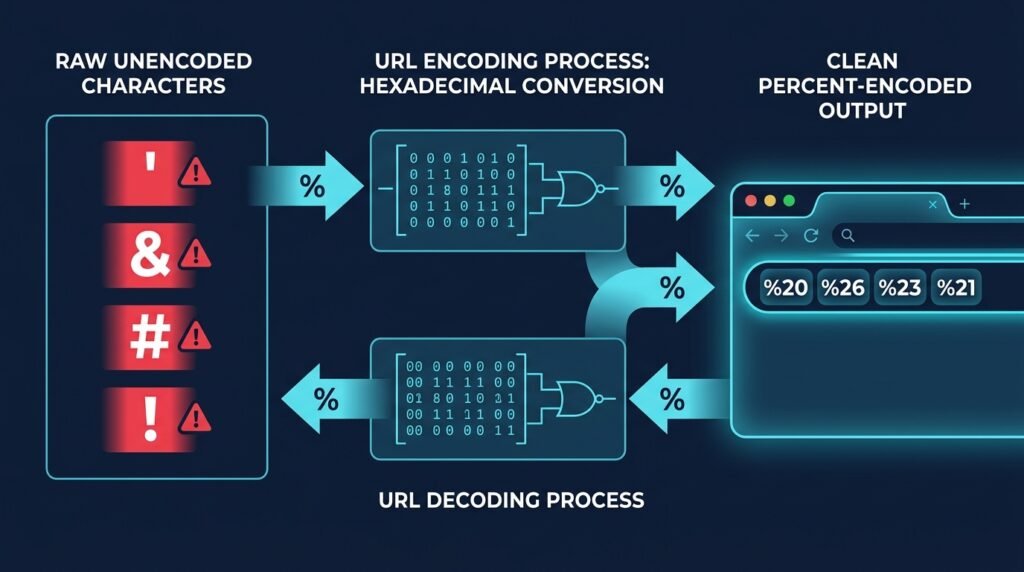
Mastering URL encoding and decoding is an essential skill for frontend developers, backend engineers, and web architects building resilient digital software. Uniform Resource Locators connect client browsers, RESTful APIs, distributed microservices, and third-party webhooks across the global internet. However, web addresses cannot treat every character in the exact same manner. Certain characters define structural boundaries, while arbitrary user inputs must travel safely through network protocols without corrupting URL syntax.
URL encoding, formally referred to as percent-encoding, translates sensitive or reserved characters into a universal transmission format. An unencoded string containing spaces and symbols transforms into predictable hexadecimal byte triplets:
Original text: Hello World! | Encoded text: Hello%20World%21
Whenever you need to inspect, format, or convert query strings instantly, use EzzDo’s free online URL Encoder and Decoder to translate text and parameters between raw and percent-encoded notations without manual computation.
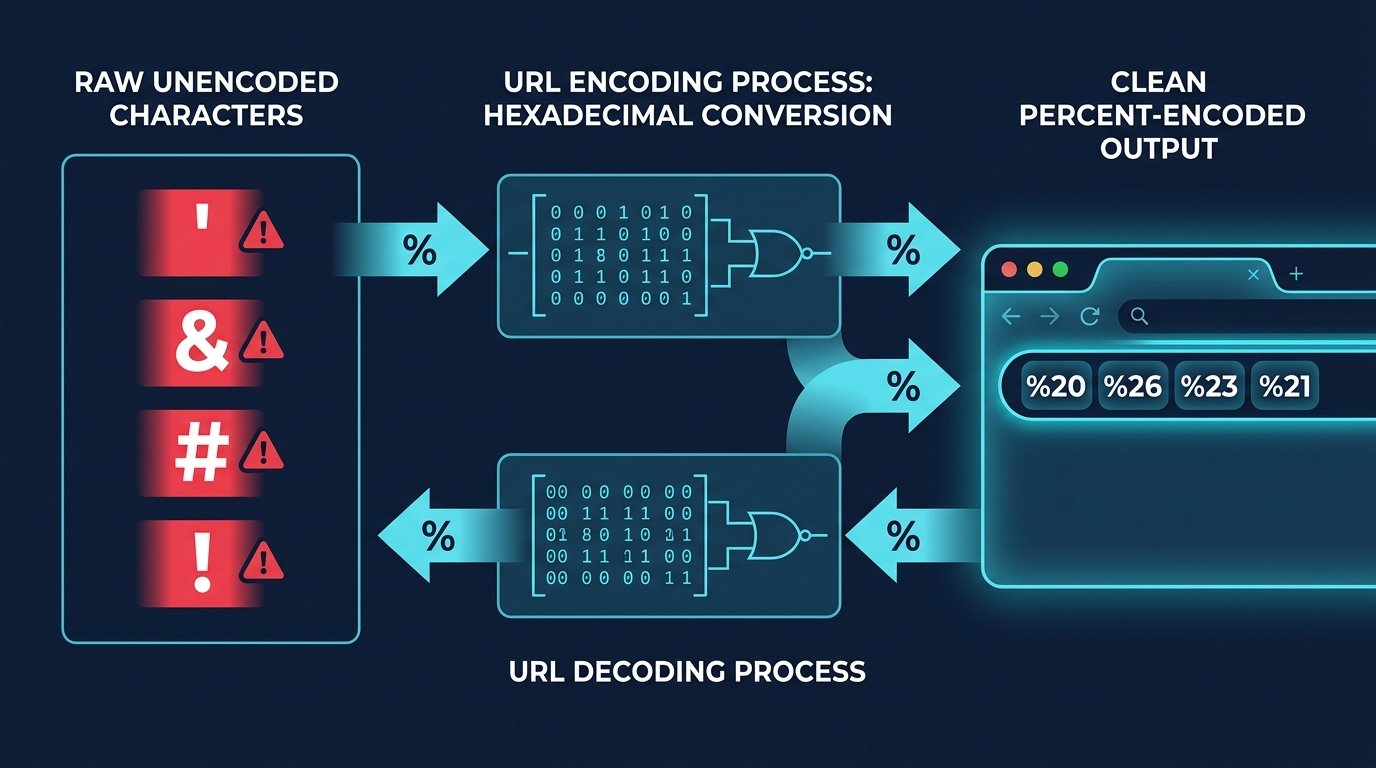
Understanding when, where, and how to apply URL encoding and decoding protects modern web applications from broken links, corrupt form submissions, and subtle security vulnerabilities across diverse browser environments.
Table of Contents
Understanding URL Encoding and Decoding: Core Principles
At its architectural foundation, URL encoding and decoding solves a fundamental networking challenge: transmitting arbitrary textual information across standardized URI syntax designed in the early days of the web. Early network protocols established that URIs must rely strictly on a limited subset of US-ASCII characters to maintain compatibility across operating systems, gateway routers, and server platforms.
When modern web applications handle international search queries, JSON payloads, or dynamic state strings, characters frequently exceed basic alphanumeric ASCII. Characters such as accented letters, emoji, spaces, and punctuation must be transformed into a standardized, transportable notation. This bidirectional serialization mechanism guarantees that neither intermediate proxy servers nor client browsers alter the meaning of incoming payload strings.
Modern internet standards defined in the IETF RFC 3986 Specification mandate how characters map into hexadecimal byte streams. When a browser initiates an HTTP request, the URL string travels through multiple networking tiers before reaching routing logic. Understanding how character serialization functions at the protocol level ensures engineers design robust URL schemas that remain stable across global network infrastructure.
What Is URL Encoding? Percent-Encoding and Hexadecimal Triplets
What is URL encoding in everyday software development? URL encoding, commonly called percent-encoding, represents arbitrary characters using a percent sign (%) followed by two hexadecimal digits that reflect the character’s underlying byte value. In computing, hexadecimal notation provides a base-16 representation where values from 00 to FF correspond to decimal numbers from 0 to 255.
Consider the practical example highlighted in modern web specifications:
Original text: Hello World!
Encoded text:  Hello%20World%21
In this example, the space character possesses an ASCII decimal value of 32, which equals hexadecimal 20. Thus, the space becomes %20. Similarly, the exclamation mark corresponds to decimal 33, yielding hexadecimal 21, rendered as %21. When performing URL encoding and decoding, web servers translate these percent-encoded triplets back into their native byte representations.
Percent-encoding is heavily utilized when passing user text through URL query parameters, submitting web form data, formulating REST API requests, or configuring OAuth authentication redirects. Modern web stacks relying on URL encoding and decoding process millions of these conversions seamlessly every second to preserve data fidelity across distributed networks.
Why Is URL Encoding Necessary in Web Communication?
To grasp why encoding is indispensable, consider a real-world scenario involving an unencoded web address:
https://example.com/search?q=web development
A literal space inside a URL string creates immediate syntax ambiguity. Early web clients and command-line tools often interpret a raw whitespace as a delimiter marking the end of the URL, abruptly truncating the query string. By applying URL encoding and decoding principles, developers convert this unencoded string into an unambiguous, valid address:
https://example.com/search?q=web%20development
Encoding becomes particularly critical whenever dynamic string values contain reserved characters or ambiguous symbols, including:
- Whitespace: Spaces must be encoded to prevent premature URL truncation.
- Ampersands (&): Separates query key-value pairs; unencoded ampersands corrupt parameter parsing.
- Question Marks (?): Introduces the query string; interior question marks cause syntax ambiguity.
- Hash Symbols (#): Introduces client-side fragment identifiers that servers never receive.
- Percent Signs (%): Acts as the percent-encoding escape trigger; encoded as
%25. - Plus Signs (+): Represents form spaces; literal plus signs require
%2B. - Non-ASCII Characters: Accents, international scripts, and emoji require multi-byte UTF-8 encoding.
Because structural characters dictate how web servers parse routes, systematic URL encoding and decoding prevents parameter values from accidentally altering URL architecture.
URL Character Classifications Under RFC 3986: Reserved vs Unreserved
The specification governing URL encoding and decoding categorizes characters under RFC 3986 into two divisions: unreserved and reserved characters.
Unreserved characters carry no structural meaning in URIs and require no encoding. The unreserved set comprises:
- Uppercase alphabetic characters:
AthroughZ - Lowercase alphabetic characters:
athroughz - Decimal digits:
0through9 - Four specific punctuation marks: hyphen (
-), period (.), underscore (_), and tilde (~)
Reserved characters serve as structural delimiters within distinct URI components. RFC 3986 subdivides reserved characters into generic delimiters and sub-delimiters:
- Gen-delims:
:,/,?,#,[,],@ - Sub-delims:
!,$,&,',(,),*,+,,,;,=

When reserved characters represent raw user data rather than structural delimiters, thorough URL encoding and decoding protects them from triggering premature route splitting or parameter termination.
Common URL Encoding Examples and Character Reference Table
Understanding standard percent-encoded representations allows developers to inspect server logs and debug requests. The table below illustrates characters encountered during URL encoding and decoding tasks:
| Character | ASCII Decimal | Hexadecimal | Percent-Encoded Form | Primary Functional Context |
|---|---|---|---|---|
| Space | 32 | 20 | %20 |
Whitespace in query values and URI paths |
| Exclamation mark (!) | 33 | 21 | %21 |
Sub-delimiter, used in URL parameters |
| Double quote (“) | 34 | 22 | %22 |
JSON string literals and search phrases |
| Hash / Pound (#) | 35 | 23 | %23 |
Fragment identifier delimiter |
| Dollar sign ($) | 36 | 24 | %24 |
Sub-delimiter, variable prefixes |
| Percent sign (%) | 37 | 25 | %25 |
Escape indicator for percent-encoding |
| Ampersand (&) | 38 | 26 | %26 |
Query parameter separator |
| Single quote (‘) | 39 | 27 | %27 |
String wrapper and sub-delimiter |
| Plus sign (+) | 43 | 2B | %2B |
Mathematical operator and form space |
| Forward slash (/) | 47 | 2F | %2F |
Path segment separator |
| Colon (:) | 58 | 3A | %3A |
Scheme delimiter and port separator |
| Semicolon (;) | 59 | 3B | %3B |
Matrix parameters and sub-delimiter |
| Equals sign (=) | 61 | 3D | %3D |
Query parameter key-value assignment |
| Question mark (?) | 63 | 3F | %3F |
Query string prefix delimiter |
| At sign (@) | 64 | 40 | %40 |
User information prefix in URI authority |
When working with binary files or multi-format data pipelines, developers frequently pair URL encoding and decoding with tools like EzzDo’s Base64 Encoder and Decoder to package complex structures into text-safe URL query parameters.
URL Encoding Versus Form Encoding: Understanding %20 and Plus Signs
A frequent source of developer confusion in URL encoding and decoding is the difference between URI component encoding and form encoding. While related, they enforce distinct rules for space characters.
Under HTML standards, web forms submitting data via application/x-www-form-urlencoded replace whitespace with a literal plus sign (+). For example:
Raw input:    Hello World
Form encoded: Hello+World
In contrast, standard RFC 3986 percent-encoding dictates that spaces become %20. If an application utilizes form encoding and the input contains an intentional plus sign (like +14155552671), that plus sign must be encoded as %2B to avoid being parsed as a space.
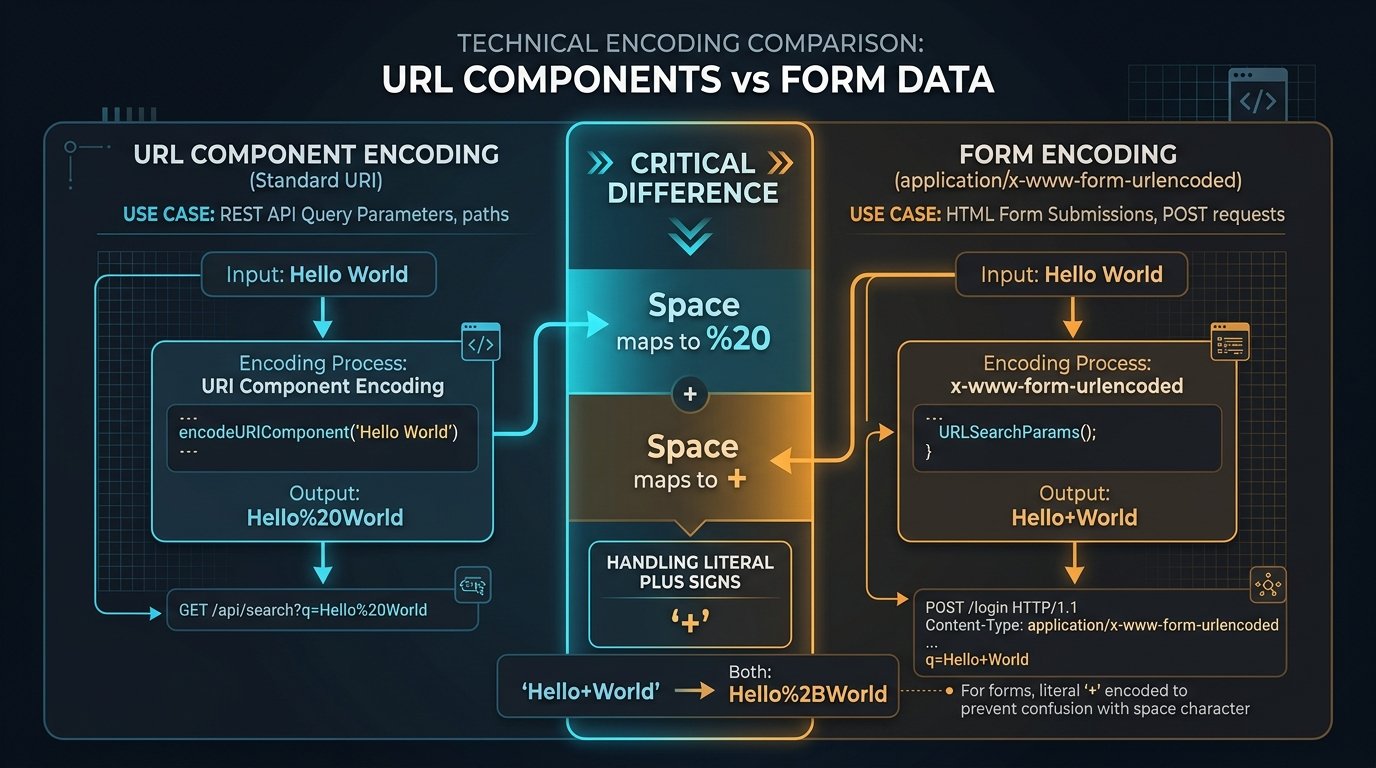
This distinction is critical for REST APIs and webhooks. Consistent implementation of URL encoding and decoding rules prevents data degradation across serialization formats.
How to Decode a URL Safely: Step-by-Step Methodology
Decoding reverses percent-encoding, translating hexadecimal escape sequences back into their authentic characters. When implementing URL encoding and decoding in backend systems, developers must follow a rigorous methodology to avoid unexpected exceptions and security vulnerabilities.
Follow these 5 essential steps when decoding URL strings:
- Identify the encoded component: Determine whether the incoming string represents a complete URI, an isolated path segment, or an individual query parameter key-value pair.
- Select the appropriate decoder: Utilize native platform decoding routines or online utilities like EzzDo’s URL Encoder and Decoder to process the target string.
- Identify serialization format: Confirm whether the data was serialized using RFC 3986 percent-encoding (where spaces are
%20) or form-encoding (where spaces are+). - Inspect the decoded output: Verify that multi-byte UTF-8 character sequences, accented letters, and special symbols decoded accurately without replacement character artifacts.
- Sanitize and validate in context: Never assume that decoded content is inherently safe; validate inputs against domain schemas to defend against injection attacks.
Remember that decoding an individual component does not guarantee that the resulting string is safe for direct database insertion or HTML rendering. Integrating systematic validation into URL encoding and decoding pipelines ensures complete application reliability.
URL Encoding in JavaScript: encodeURI, encodeURIComponent, and Modern APIs
JavaScript provides global functions for handling URL encoding and decoding. The ECMAScript specification exposes two primary primitives: encodeURI() and encodeURIComponent().
Use encodeURIComponent() when encoding an individual query parameter value or dynamic route parameter. This function encodes structural delimiters such as &, =, +, and / to prevent them from interfering with URI structure:
const searchTerm = "web development & design";
const encoded = encodeURIComponent(searchTerm);
console.log(encoded);
// Output: web%20development%20%26%20design

const decoded = decodeURIComponent(encoded);
console.log(decoded);
// Output: web development & design
In contrast, encodeURI() encodes complete URLs, preserving structural delimiters like https://, slashes, and question marks. Decoding uses decodeURI() and decodeURIComponent() as documented in MDN Web Docs.
For modern web applications, the WHATWG URL Standard recommends using the object-oriented URL and URLSearchParams APIs instead of manual string concatenation:
const url = new URL("https://example.com/search");
url.searchParams.set("q", "web development & design");
url.searchParams.set("filter", "tags=beginner+guide");
console.log(url.toString());
// Output: https://example.com/search?q=web+development+%26+design&filter=tags%3Dbeginner%2Bguide
By leveraging standardized classes, developers eliminate manual concatenation bugs while automating compliant URL encoding and decoding across all application routes.
Common URL Encoding Mistakes: Double Encoding, Security, and Edge Cases
Even seasoned software engineers encounter unexpected issues when working with URL encoding and decoding in complex web architectures. Avoiding these four widespread pitfalls will dramatically improve code stability and security:
1. Encoding the Entire URL Unnecessarily
Passing a complete URL into encodeURIComponent() converts structural delimiters like https:// into https%3A%2F%2F, preventing browser navigation. Always encode isolated parameter values.
2. The Double Encoding Bug (%2520)
Double encoding occurs when already encoded data is passed through an encoding routine a second time. Consider this progression:
Original text:   Hello World
Encoded once:    Hello%20World
Encoded twice:   Hello%2520World
Because the percent sign is encoded as %25, the string becomes Hello%2520World. Recipients decoding once receive literal Hello%20World. Enforce single-encoding boundaries.
3. Decoding Untrusted Input Without Validation
Decoded parameters may contain dangerous payloads, including XSS vectors, SQL injection fragments, or directory traversal (%2E%2E%2F). Always sanitize and validate decoded inputs before processing.
4. Confusing Encoding With Encryption
URL encoding offers zero data confidentiality. Percent-encoding is an open, reversible serialization protocol. Never place confidential customer credentials, passwords, or tokens in URL parameters.

Recognizing the difference between transport serialization and cryptographic protection allows teams to implement URL encoding and decoding safely across production systems.
7 Best Rules for URL Encoding and Decoding in Production Web Apps
To establish engineering excellence across your team’s codebases, incorporate these 7 best production rules whenever architecting URL encoding and decoding systems:
- Encode at the Point of Construction: Never encode query parameters prematurely. Store clean plaintext in your state stores and encode strictly when building outgoing network URLs.
- Prefer URLSearchParams Over Manual Concatenation: Eliminate manual string parsing bugs by utilizing modern browser and Node.js standard library APIs.
- Distinguish Component vs Form Encodings: Account for differences between
%20in REST APIs and+in HTML form submissions, deliberately encoding literal plus signs as%2B. - Guard Against Double Encoding: Establish clear contracts across internal microservices so upstream services do not re-encode already sanitized parameters.
- Normalize and Validate Decoded Inputs: Treat all decoded data as untrusted external input; validate types, lengths, and regex patterns against strict backend schemas.
- Maintain Clean, Readable SEO Slugs: Use lowercase alphanumeric characters and hyphens for URLs, reserving percent-encoding for unavoidable dynamic query values.
- Leverage Dedicated Developer Tooling: Expedite debugging workflows by utilizing specialized utilities in EzzDo’s Developer Tools Catalog and comprehensive Tools Directory.
Whenever modern backend software engineers and frontend architects evaluate URL encoding and decoding protocols across distributed cloud infrastructure automated algorithmic verification ensures consistent transmission integrity across all transactional endpoints and customer facing interfaces throughout the entire commercial enterprise infrastructure protecting network bandwidth while providing dependable data fidelity for every visitor in both desktop and mobile browsing environments worldwide today without routing regressions or unintended latency bottlenecks in the client browsers supporting rigorous web performance standards and core web vitals protocols across diverse operational divisions and digital storefronts facilitating optimal architectural decisions for sustainable platform scalability and long term.